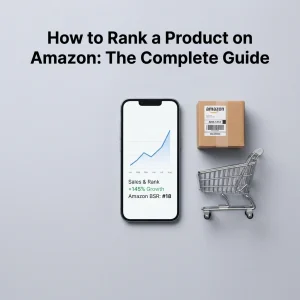
How to Rank a Product on Amazon: The Complete Guide
Learning how to rank a product on Amazon is the difference between a listing that quietly sits on page seven and one that shows up the moment a shopper searches for what you sell. Amazon’s search engine, currently running on what sellers call the A10 algorithm, decides this ranking using a mix of relevance, performance, and trust signals — not a single trick or shortcut.
The good news is that A10 rewards the same things good sellers should already be doing: accurate keyword targeting, listings that convert, steady sales, and happy customers. The bad news is that there is no single fix. Whether you’re running a private-label brand or dropshipping on Amazon, ranking well is the result of several factors working together, and neglecting even one — like backend keywords or inventory availability — can quietly cap how high you climb. This guide walks through every major ranking factor and gives you a practical, step-by-step approach to improving your position in Amazon search results.
How Does Amazon’s A10 Algorithm Actually Work?
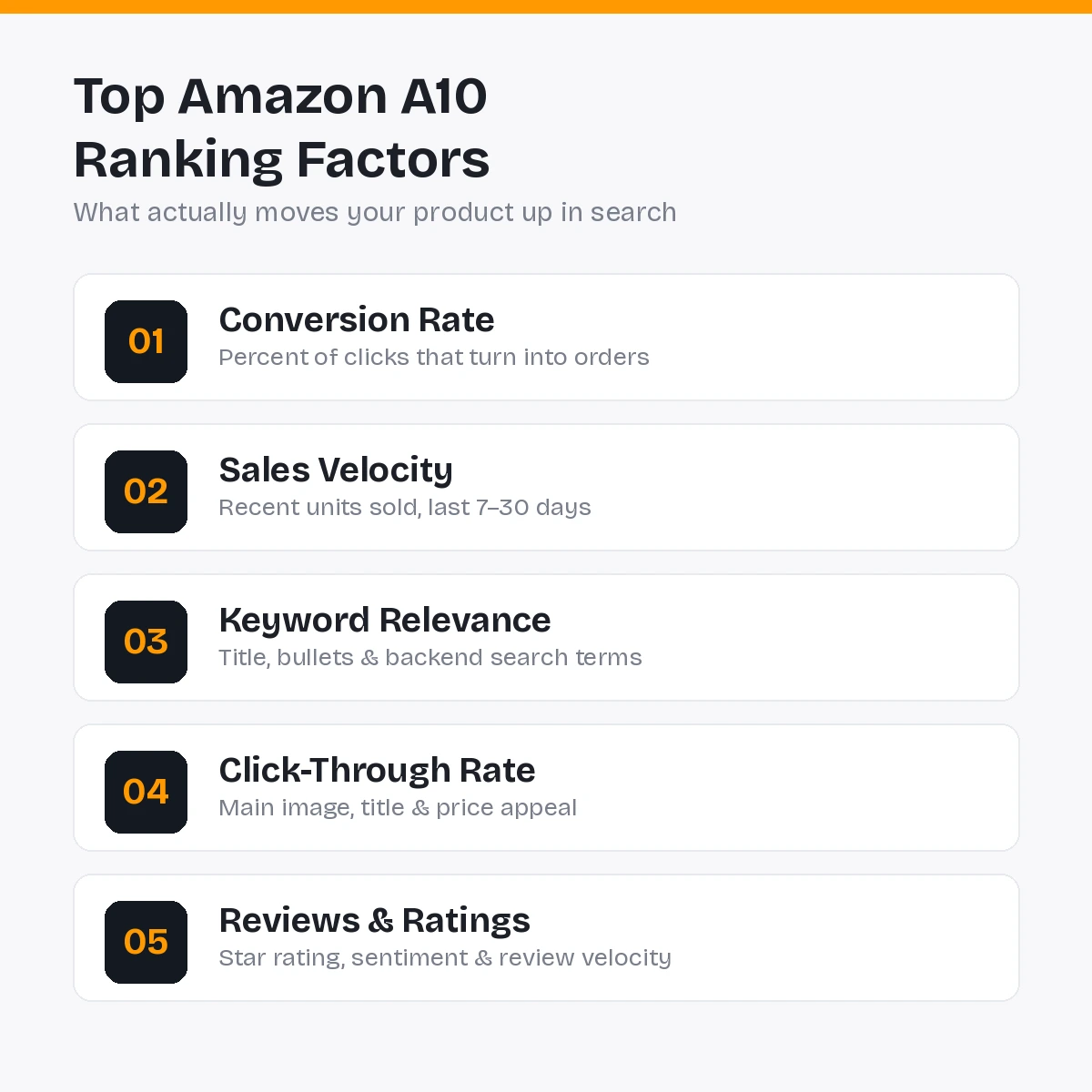
Amazon’s ranking system evaluates every listing against a search query and decides which products deserve the top spots based on how well they match what the shopper is looking for and how likely they are to satisfy that shopper after the click. Older versions of Amazon’s algorithm, often referred to as A9, leaned heavily on keyword matching and advertising spend. A10 shifted that weighting toward real customer behavior — conversion rate, click-through rate, return rate, and even traffic sellers bring in from outside Amazon.
In practice, this means keyword stuffing alone will not rank a listing anymore. Amazon wants to see that real shoppers click on your listing and then actually buy, come back for repeat purchases, and don’t return the item afterward. Every tactic in this guide ultimately serves one of those underlying goals: relevance, performance, or trust.
1. Do Thorough Keyword Research First
Before touching your listing, figure out exactly what shoppers type into Amazon’s search bar when looking for products like yours. Use Amazon’s own autocomplete suggestions, competitor listings, and dedicated keyword research tools to build a list of primary and secondary search terms.
Focus on search intent rather than volume alone. A keyword with slightly lower search volume but a much closer match to buyer intent will often convert — and therefore rank — better than a broad, high-volume term that attracts the wrong audience. If you’re new to structuring this kind of research, it helps to review a broader e-commerce SEO approach first, since many keyword-research principles carry over directly from web SEO to Amazon SEO.
2. Optimize Your Product Title
Your title is one of the heaviest-weighted relevance signals Amazon uses, and it is also the first thing a shopper reads in search results. A strong title includes your primary keyword near the front, followed by key attributes like brand, size, color, quantity, and use case — written in natural language rather than a stuffed keyword list.
A10 is more sensitive to natural phrasing than older algorithm versions, so a title that reads like a helpful description usually performs better than one that reads like a keyword dump. Keep your most important keyword close to the beginning, since truncation on mobile devices can cut off anything placed too far to the right.
3. Write Bullet Points That Sell and Inform
Bullet points serve two audiences at once: Amazon’s algorithm, which scans them for relevance, and shoppers, who scan them to decide whether to buy. Each bullet should lead with a clear benefit, followed by the feature that delivers it, and should naturally include a secondary keyword where it fits.
Avoid restating your title word for word. Instead, use bullets to answer the specific questions shoppers usually ask before purchasing — durability, compatibility, sizing, or what’s included in the box. Listings that reduce pre-purchase confusion tend to see fewer returns, which directly supports the trust signals A10 rewards.
4. Fill Out Backend Search Terms Completely
Amazon gives every listing a hidden backend search-terms field that shoppers never see but the algorithm still indexes. This is where you place keyword variations, common misspellings, synonyms, and alternate phrasing that didn’t fit naturally into your visible title or bullets.
Don’t repeat words you’ve already used in the title or bullets — Amazon has already indexed those. Use this space for genuinely new terms instead, and avoid banned or irrelevant keywords, since misuse of this field can trigger listing suppression rather than help your ranking.
5. Use High-Quality, Conversion-Focused Images
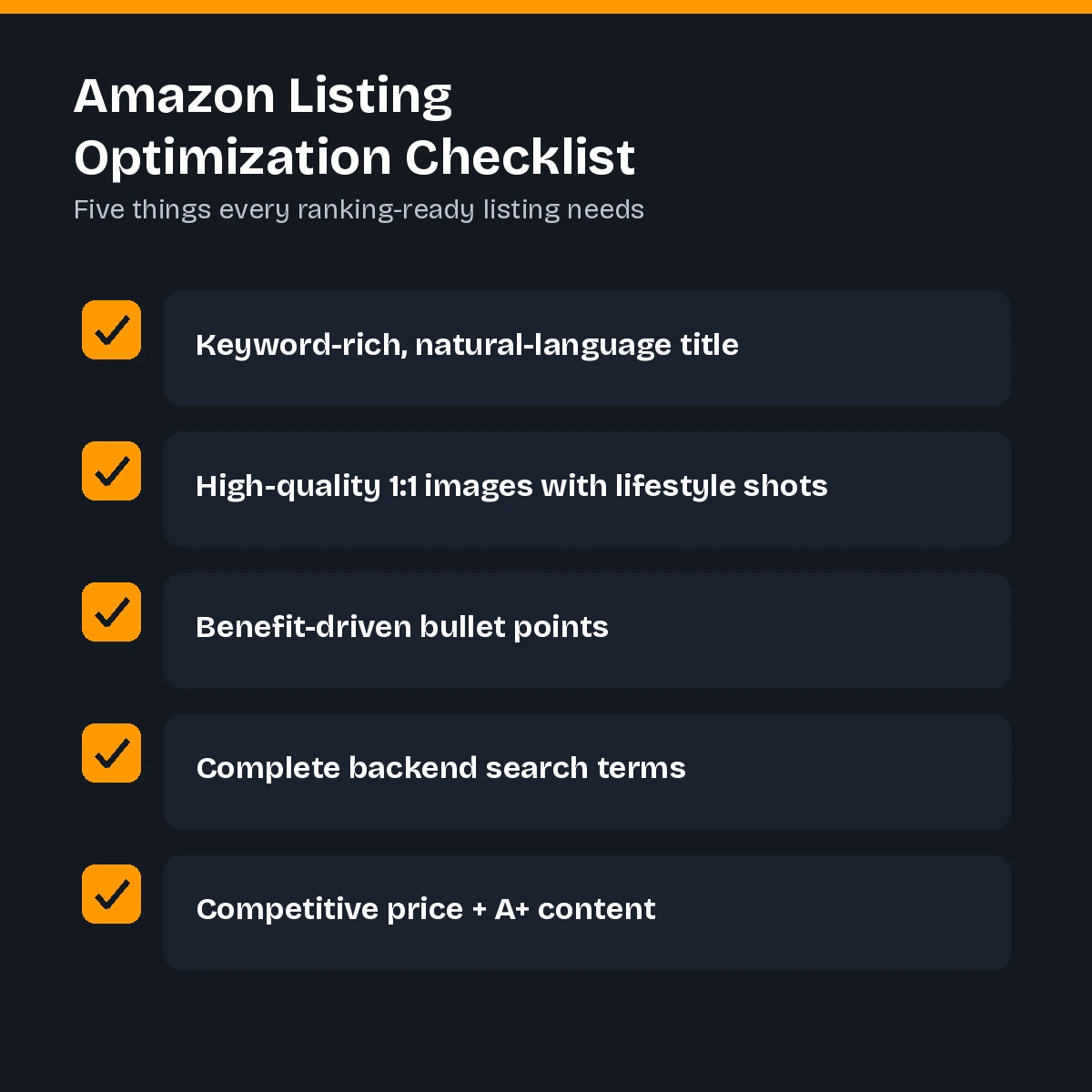
Your main image is the single biggest driver of click-through rate, and CTR feeds directly into how A10 evaluates your listing’s relevance. Use a clean, well-lit image on a pure white background for your main photo, and follow it with lifestyle shots, size comparisons, and infographics that answer common questions visually.
Square, high-resolution images tend to display more consistently across devices and zoom cleanly when a shopper wants a closer look. Poor image quality is one of the fastest ways to suppress conversion rate even when everything else about a listing is strong, since shoppers often decide within seconds whether a product looks trustworthy.
6. Price Competitively Within Your Category
Price alone doesn’t guarantee ranking, but it heavily influences both click-through rate and conversion rate — two of A10’s most heavily weighted signals. Research what comparable products in your category are charging, and make sure your price reflects the perceived value of your listing’s images, reviews, and content.
Being the cheapest option isn’t required, but being noticeably more expensive than similar, well-reviewed competitors without a clear differentiator will quietly suppress your conversion rate, and with it, your ranking. It’s also worth tracking your customer acquisition cost alongside pricing decisions, since a discount that wins the Buy Box but erases your margin isn’t a sustainable ranking strategy long-term.
7. Build Sales Velocity Early
Sales velocity — how many units you sell over a recent window, typically the last seven to thirty days — is one of the strongest signals in the entire A10 model. A steady stream of recent sales tells Amazon your product is in demand right now, not just historically.
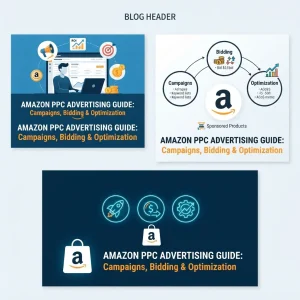
This is why product launches often lean on limited-time promotions, launch discounts, or coupons to generate an initial burst of sales. That early velocity helps a new listing climb past competitors that may have more historical sales but a slower recent pace. If you’re running paid campaigns to support this early push, understanding Amazon PPC advertising properly will help you avoid wasting spend on the wrong keywords during this critical window.
8. Actively Earn Reviews and Manage Ratings
Reviews function as both a relevance signal and a trust signal. A10 doesn’t just count stars — it evaluates review sentiment, how often specific keywords and use cases are mentioned, and how consistently new reviews come in over time.
Use Amazon’s official tools, such as the Request a Review button, to encourage genuine feedback without violating Amazon’s terms of service. Respond to negative reviews professionally and resolve product issues quickly, since a pattern of unresolved complaints damages seller authority just as much as a low star rating does.
9. Keep Inventory Consistently In Stock
Running out of stock doesn’t just pause your sales — it resets momentum you’ve already built. A10 treats stockouts as a strong negative signal, since an out-of-stock listing cannot generate the conversions and sales velocity the algorithm rewards.
Forecast demand carefully around seasonal spikes and promotional periods, and build in buffer stock for your best-selling products. A listing that ranked well before a stockout often has to rebuild that position from a lower starting point once inventory returns.
10. Maintain Strong Seller Metrics
Beyond individual listings, Amazon evaluates your overall seller account health — order defect rate, late shipment rate, and cancellation rate all factor into how much “seller authority” A10 assigns you. A seller with clean metrics across their whole catalog tends to see new listings rank faster than one with a history of fulfillment problems.
Keep your order defect rate below 1% and your late shipment rate below 4%, and address any account health warnings immediately rather than letting them accumulate. These numbers affect every listing you have, not just the one currently underperforming.
11. Drive External Traffic to Your Listings
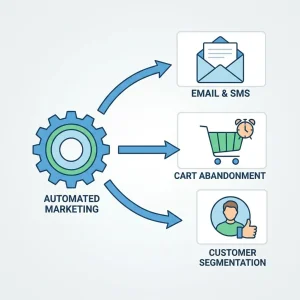
Unlike the older A9 model, A10 gives real weight to traffic that arrives from outside Amazon — social media, blog content, email campaigns, or paid ads run off-platform — especially when that traffic converts once it lands on your listing. This tells Amazon your product has demand independent of the platform’s own search traffic.
Even modest, consistent external traffic can meaningfully support your ranking over time, particularly during a product launch when you need sales velocity before organic Amazon traffic has built up on its own. For a deeper look at building this kind of off-platform traffic, this guide to digital marketing for Amazon sellers covers channels worth testing beyond Amazon’s own ecosystem.
12. Monitor, Test, and Iterate Continuously
Ranking on Amazon isn’t a one-time project — it’s an ongoing process of watching your search-term reports, testing new main images, refining bullet points, and adjusting pricing as competitors shift theirs. Small, deliberate A/B tests on titles and images often reveal conversion-rate gains that compound into meaningful ranking improvements over a few months.
Treat your listing the way you would treat any other performance-driven asset: measure it, test a hypothesis, and keep the change only if the data supports it. Running through a full e-commerce SEO checklist every quarter is a simple way to make sure nothing — from backend keywords to image quality — quietly falls out of date.
13. Use A+ Content and Brand Registry Where Eligible
If you’re enrolled in Amazon Brand Registry, A+ Content lets you replace your plain-text description with rich modules — comparison charts, lifestyle imagery, and brand storytelling — that give shoppers more reasons to trust and buy your product. Listings with strong A+ Content tend to see measurably higher conversion rates than those relying on plain bullet points alone, and since conversion rate is one of A10’s most heavily weighted signals, this upgrade often pays for itself in ranking terms alone.
Brand Registry also unlocks additional protections against listing hijacking and unauthorized changes to your content, which indirectly protects the ranking equity you’ve already built. If you’re selling a private-label product, registering your brand as early as possible is one of the highest-leverage moves available, since it opens the door to A+ Content, Sponsored Brands ads, and Amazon’s brand-analytics reporting all at once.
Understanding the Buy Box’s Role in Ranking

Winning the Buy Box — the default “Add to Cart” button on a listing with multiple sellers — is closely tied to the same signals that drive organic ranking: competitive pricing, reliable fulfillment, low order defect rates, and consistent stock availability. A seller who wins the Buy Box captures the vast majority of sales on a shared listing, which in turn reinforces sales velocity and, ultimately, ranking.
If you’re a private-label seller with no Buy Box competition, this matters less directly, but the underlying metrics — fulfillment speed, account health, and pricing discipline — still feed into the same seller-authority signals A10 evaluates across your entire catalog.
Common Mistakes That Hurt Amazon Rankings
- Keyword stuffing titles instead of writing natural, readable copy
- Ignoring backend search terms or repeating keywords already used elsewhere
- Running out of stock during a promotional push
- Pricing far above comparable, well-reviewed competitors without justification
- Ignoring negative reviews instead of resolving the underlying issue
- Relying entirely on PPC without building organic sales velocity
Avoiding these mistakes is often just as valuable as actively optimizing, since a single unresolved issue — like recurring stockouts — can undo weeks of otherwise solid optimization work.
Conclusion
Learning how to rank a product on Amazon in 2026 comes down to consistently strengthening three things: relevance, performance, and trust. Relevance starts with accurate keyword research reflected naturally in your title, bullets, and backend terms. Performance depends on conversion rate, click-through rate, and steady sales velocity, all of which are shaped by your images, pricing, and promotional strategy. Trust is built through reviews, clean seller metrics, and reliable inventory management.
No single tactic will move a listing from page five to page one overnight. But sellers who consistently apply these fundamentals — strong listings, dependable fulfillment, genuine reviews, and a steady stream of both organic and external traffic — tend to see rankings improve steadily and, more importantly, hold once they get there.
Frequently Asked Questions About Amazon Product Ranking
1. How Long Does It Take to Rank a Product on Amazon?
Most new listings start to see meaningful ranking movement within four to eight weeks, though highly competitive categories can take longer, especially without early promotional support.
2. Does Amazon PPC Directly Improve Organic Ranking?
PPC does not directly boost organic ranking, but it can drive sales velocity and conversion data that support organic visibility, making it a useful complementary strategy.
3. How Many Keywords Should I Target per Listing?
Focus on one primary keyword and several closely related secondary keywords rather than trying to rank for dozens of loosely related terms at once.
4. Do Backend Search Terms Still Matter in 2026?
Yes, backend search terms remain useful for indexing keyword variations, synonyms, and common misspellings that may not fit naturally into visible listing copy.
5. Can a New Product With No Reviews Rank Well?
Yes, but it can be more challenging. New listings typically rely heavily on strong images, competitive pricing, and early sales velocity while reviews begin to accumulate.
6. Does Image Quality Really Affect Ranking?
Image quality can significantly influence click-through and conversion rates, which are important factors in Amazon search performance.
7. What Is Considered a Good Conversion Rate on Amazon?
Conversion rates above 10–15% are often considered strong, although benchmarks vary considerably depending on the product category, price point, traffic source, and competition.
8. Should I Lower My Price to Rank Faster?
Lowering your price can improve short-term conversion rates, but it is not always necessary. Competitive pricing compared with similar, well-reviewed listings may matter more than being the cheapest option.
9. How Much Does Inventory Availability Affect Ranking?
Inventory availability can have a significant impact on performance. A stockout can interrupt sales momentum and make it harder to maintain ranking progress.
10. Does External Traffic Actually Help Amazon Rankings?
External traffic can contribute to product performance when it generates relevant visits and conversions. Social media, email, and other external channels can therefore support overall Amazon visibility.
11. How Often Should I Update My Listing?
Review your listing at least quarterly and consider making updates sooner if you notice a significant drop in conversion rate or click-through rate, or an increase in negative reviews.
12. Can Bad Reviews Be Removed to Help Ranking?
Genuine customer reviews generally cannot simply be removed to improve ranking. Addressing the underlying customer issue and improving the product or customer experience is usually a more sustainable approach.